One amount.Every currency.
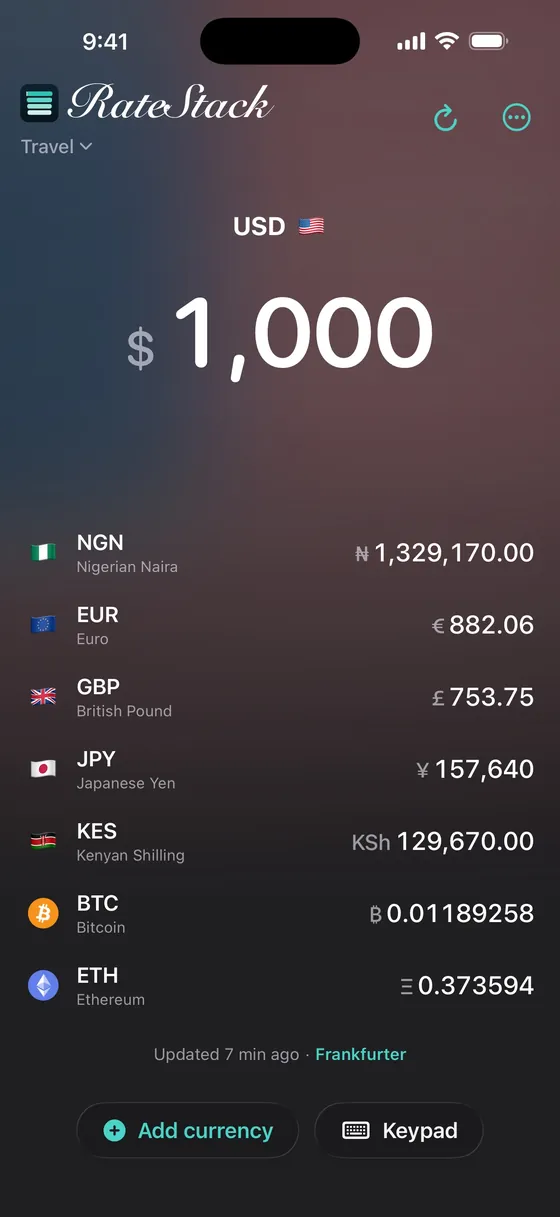
A currency converter for iPhone that works like a calculator. Type an amount once and read it in every currency you use.
Typing in US Dollar. Tap another currency to type in it instead.
Built-in rates · Oct 1 · Frankfurter
$100 today
Frankfurter and Fawaz Exchange · October 1
- ₦132,917Lagos
- KSh 12,967Nairobi
- ₵1,172Accra
- R1,643Cape Town
- E£5,208Cairo
- £75.38London
- €88.21Lisbon
- AED 367Dubai
- ₹9,593Mumbai
- ¥15,764Tokyo
- R$519São Paulo
- ₿0.00118in bitcoin
- 0.0239 ozof gold
Why RateStack
- 01
Every currency at once
One amount fills your whole list: 160+ currencies, 60 cryptocurrencies, and four precious metals. Tap any row to type in it.
- 02
Works offline
Rates are kept on your iPhone, so conversions work on a plane or abroad without data.
- 03
The rate you actually get
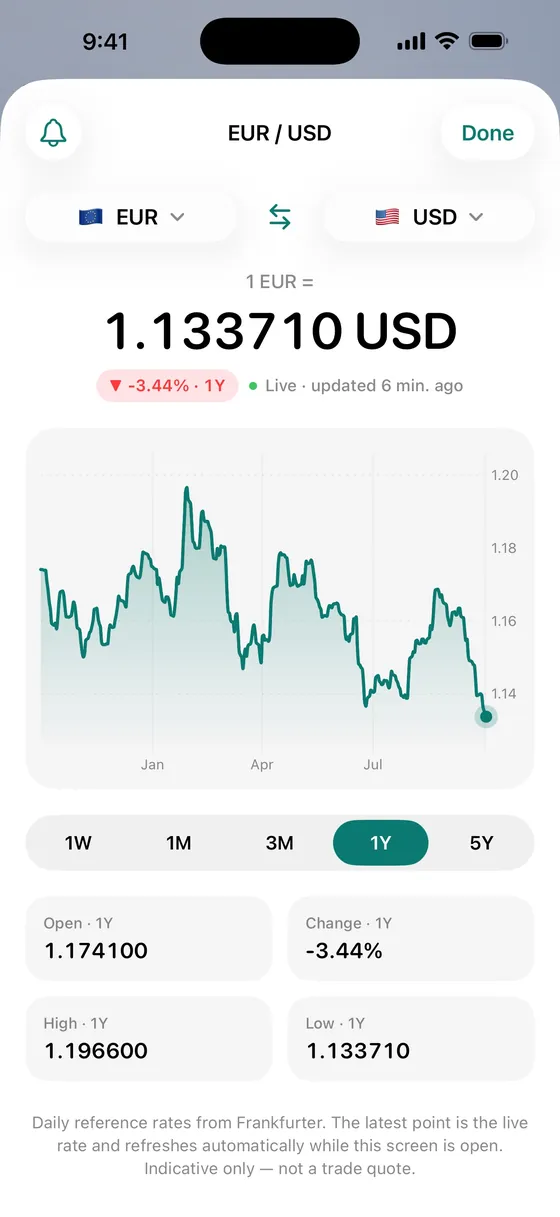
Set your own rate for any pair, see history up to five years, and get an alert when a rate crosses your target.
- 04
Private
No account, no ads, and no tracking. RateStack collects no data.

Suggestions
Missing a currency, or have an idea that would make RateStack better? Send it here.
Questions
RateStack shows reference market rates. Banks and transfer services add their own margins and fees. To use a rate you were quoted, touch and hold a currency row, then choose Set Custom Rate. You can also compare the quote against the reference rate to see the difference.
Yes, once RateStack has downloaded rates. Offline conversions use the last saved rates, not current market prices. Check the freshness line on the converter for the last update, and refresh while online before you travel.
Tap any currency in the results list. It becomes the active currency at the top, with the equivalent amount carried over. Type on the keypad to edit it; every other row updates automatically.
Touch and hold a currency row, then choose Copy Amount for the number alone, or Copy with Currency to include the currency code.
Open RateStack, then go to Settings → Widgets → Base Currency. The Control Center control has its own From currency, configured separately.
Check that notifications are allowed for RateStack in your iPhone settings. Alerts are checked when rates refresh, not continuously. Background checks depend on when iOS lets the app refresh, so delivery may be delayed. Open RateStack to refresh rates and check your alerts.
The BeggiBeggi family
More from BeggiBeggi
RateStack is one of a few careful, everyday apps made in Nigeria by BeggiBeggi.

Beggi Beggi
Ask clearly. Give with clarity.
Post what you need, and people on the feed send help straight to your bank. Every ask is reviewed, and Beggi never holds the money.
Visit Beggi Beggi(opens in a new tab)
Links by BeggiBeggi
One tap opens your page.
A tap-to-share card for your name, number, email, and socials. Anyone can save you to contacts in one tap, with no app needed.
Visit Links by BeggiBeggi(opens in a new tab) Coming soon
Beggi Guard
When seconds matter, silence is the enemy.
Nigeria's first community alert system. The countdown to launch is on.
See what's coming(opens in a new tab)
LinkBlend
One faster connection from every link.
A macOS app that merges your Wi-Fi, Ethernet, and phone tethering into one connection, and keeps it running when a link drops.
View LinkBlend on GitHub(opens in a new tab)